The itch.io app has recently gotten a major upgrade for developers: You can now upload with butler directly in the app with a friendly GUI. In the latest version of the app you can find an Upload section that lets you push builds with butler without opening a terminal.
A quick refresher on butler
butler is our command line interface for uploading builds to itch.io. You point it at a folder or a .zip and it pushes the contents to a channel on your project, which you can freely name, such as windows-beta, linux-arm64, or macos-preview.
butler works very differently than just uploading a file through your browser. butler works with patches and only uploads what has changed every time you push files to an existing channel on your project.
The first push sends everything, but every push after that compares against your last build and uploads just the difference.
Users of the itch app get the same treatment: When they update a game, they download a patch instead of the whole thing again. For a game that updates often, that saves time and bandwidth on both ends. After uploading your patch, our servers in the background re-compress and optimize the patch to make it even smaller.
Until now butler was a command-line tool only. That worked well for developers comfortable with a terminal, but it left out everyone who isn’t. The new Upload section brings butler into the app itself.
The Builds page
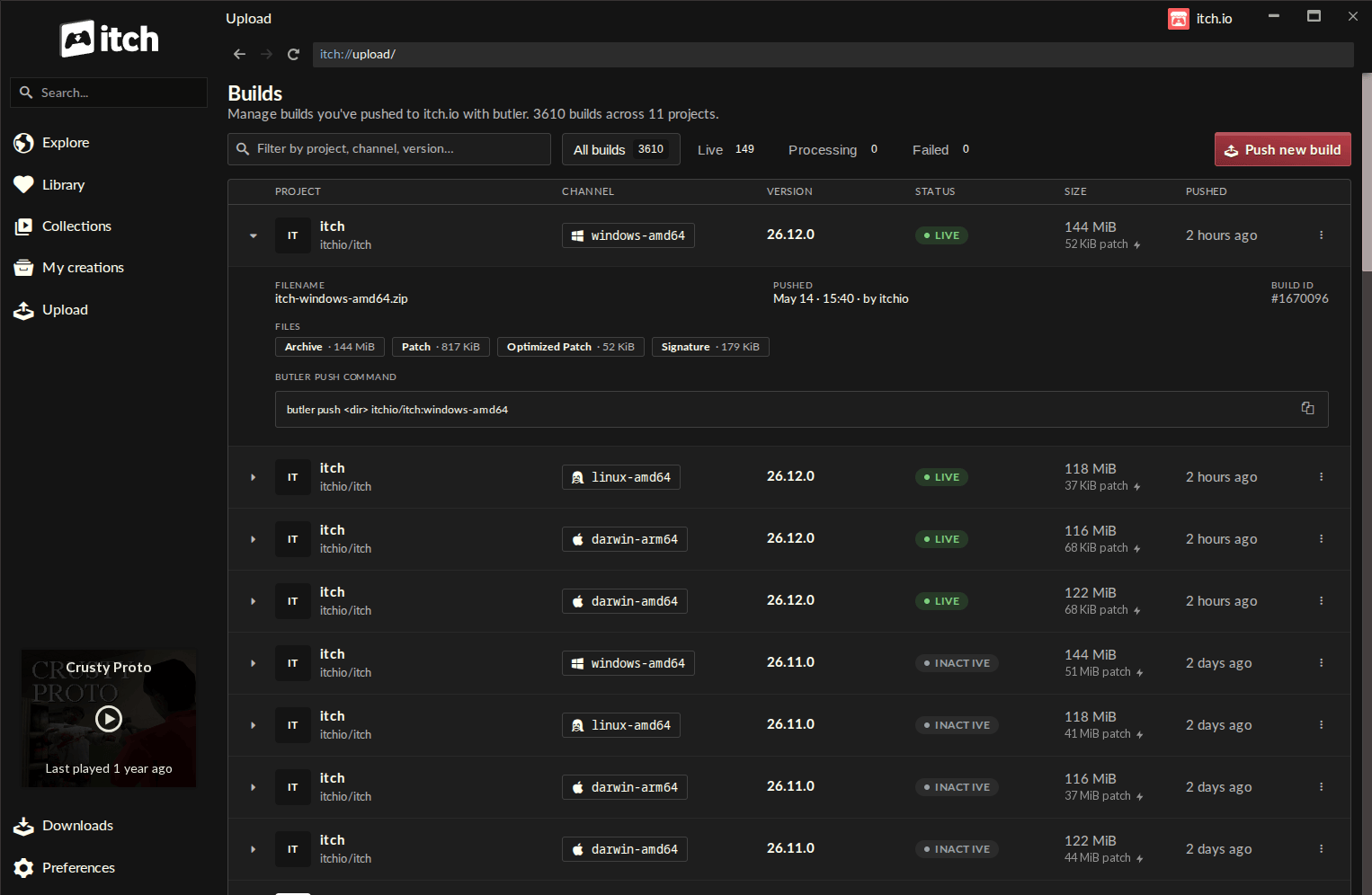
There’s a new Upload entry in the sidebar that lets you access the Builds page. This new screen lists every build associated with any project your account can edit. Each row shows the project, channel, version, status, file size, and when it was pushed.
- Filter the list by status (Live, Processing, or Failed), or search by project, channel, or version.
- Click a row to expand it. You’ll see details about the build including any associated files, status, and a quick way to copy the CLI command if you want to upload from the terminal. The associated build files let you audit the size of patches and see if an optimized patch has been generated yet.
Pushing a build
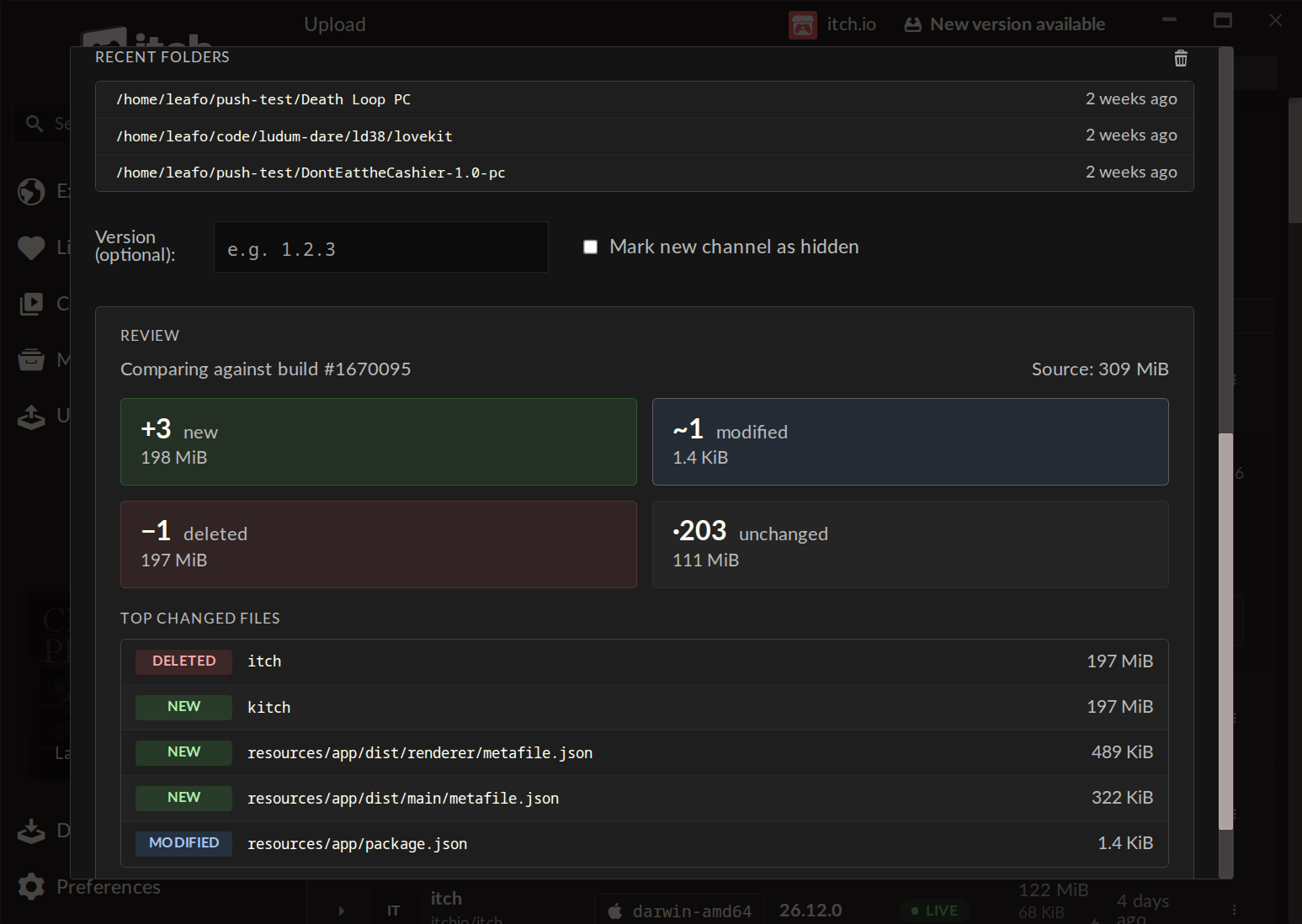
On the Builds screen you’ll find the “Push new build” button to open the push dialog. Pick a project, choose a channel (or type a name to create a new one), optionally set a version, and drop in a folder or a .zip file. The recent folders list will let you quickly find a location you’ve previously pushed from.
Before starting an upload, you can generate a preview of what has changed since your last build: how many files are new, modified, deleted, or unchanged, with sizes for each group, plus a list of the largest changed files. This can help you spot any mistakes and have a better understanding of how new versions of your game are being pushed.
The version of butler contained within the app is automatically updated so you don’t have to worry about keeping it updated yourself. It will push using the credentials of your logged-in account on the itch app. This makes it really easy to manage pushing from multiple accounts since the app lets you have multiple profiles and quickly switch between them.
Also in these releases
- Games launched through the app now have
ITCHIO_APP=1set in their environment, so a game can tell when it’s running inside the itch.io app. - New zoom hotkeys: Ctrl/Cmd + to zoom in, Ctrl/Cmd – to zoom out, Ctrl/Cmd 0 to reset.
- Support for pushing new builds as
--hidden, so they aren’t visible to end users immediately - Many more bug fixes and usability updates, check the full release notes on GitHub: https://github.com/itchio/itch/releases
Getting the update
The app updates itself, so you’ll get this automatically. You can manually check for updates from the Preferences screen if auto-update hasn’t pull it for your yet.
If you’re new to the itch app you can download the itch.io app here. For everything butler can do from the command line, see the butler documentation.
You’ll need at least v26.12.0 to access the Upload tab.
Looking forward to seeing what you push!